Turning modules and features off
Easy is built in parts: Sales, Purchases, Cashbook, Banking, Payroll, Assets, Planning and Jobs, and inside some of them smaller features such as Quotes or Expense claims. A business that never sells on credit or never owns assets doesn't need those parts in its menu. You can turn a module or a feature off, for everyone in the company, and turn it on again whenever you like. Only the Owner or an Administrator can. Do it when you set the company up, or when the menu holds things nobody uses. It goes with People, roles and access (a shorter menu for one person) and Billing, backups and your data (the plan).
About the screenshots
Switching a module off is a company-wide setting, so these pictures are from a practice company, Manual Lab sa, not from the demo café. It is on a trial of Easy Core, which is why Planning and Jobs, paid add-ons, say Not in your plan. The supplier Pacific Hull Supplies and its two $460.00 bills are made up.
Before you start
- You are the Owner or an Administrator. An Accountant keeps the books but cannot change this, and neither can an Approver (see "Who can do this" below).
- It is for everyone. Turning a module off removes it from every person's menu. To give one person a shorter menu, give them a different role instead.
- Nothing is deleted and your plan doesn't change. The switch only hides. Everything the module recorded stays in your accounts and reports.
- Finish what is running. Easy refuses to turn a module off while it has work in progress (step 3).
Step 1. See what can be turned off
Settings → Organisation → Modules (the tab beside Business details).
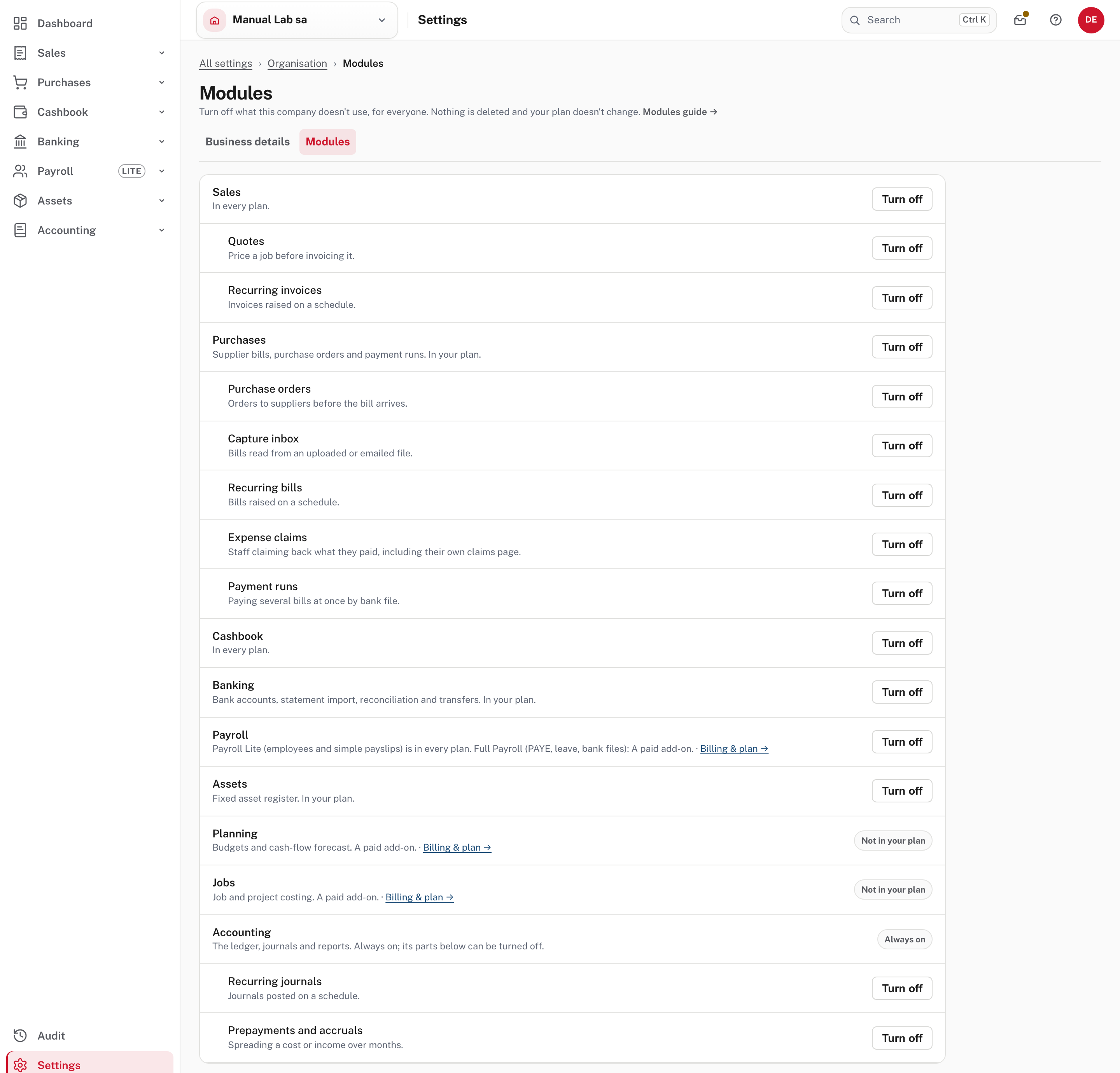
The list follows the menu. Each module has a note, and the features inside it are indented underneath:
| Module | What it covers | Features you can turn off on their own |
|---|---|---|
| Sales | Invoices, credit notes, quotes, items, customers and sales reports | Quotes, Recurring invoices |
| Purchases | Supplier bills, purchase orders and payment runs | Purchase orders, Capture inbox, Recurring bills, Expense claims, Payment runs |
| Cashbook | Receipts and payments | none |
| Banking | Bank accounts, statement import, reconciliation and transfers | none |
| Payroll | Payroll Lite (employees and simple payslips) is in every plan; Full Payroll (PAYE, leave, bank files) is an add-on | none |
| Assets | The fixed asset register | none |
| Planning | Budgets and the cash-flow forecast | none |
| Jobs | Job and project costing | none |
| Accounting | The ledger, journals and reports. Always on | Recurring journals, Prepayments and accruals |
A module your plan doesn't include shows Not in your plan instead of a switch, with a Billing & plan link beside its note. Accounting reads Always on: only its two features can be turned off. The Dashboard, Settings and Audit are always on and aren't in the list (Turning modules and features off).
Step 2. Turn one off
Choose Turn off on its row. If nothing is running, it goes at once.
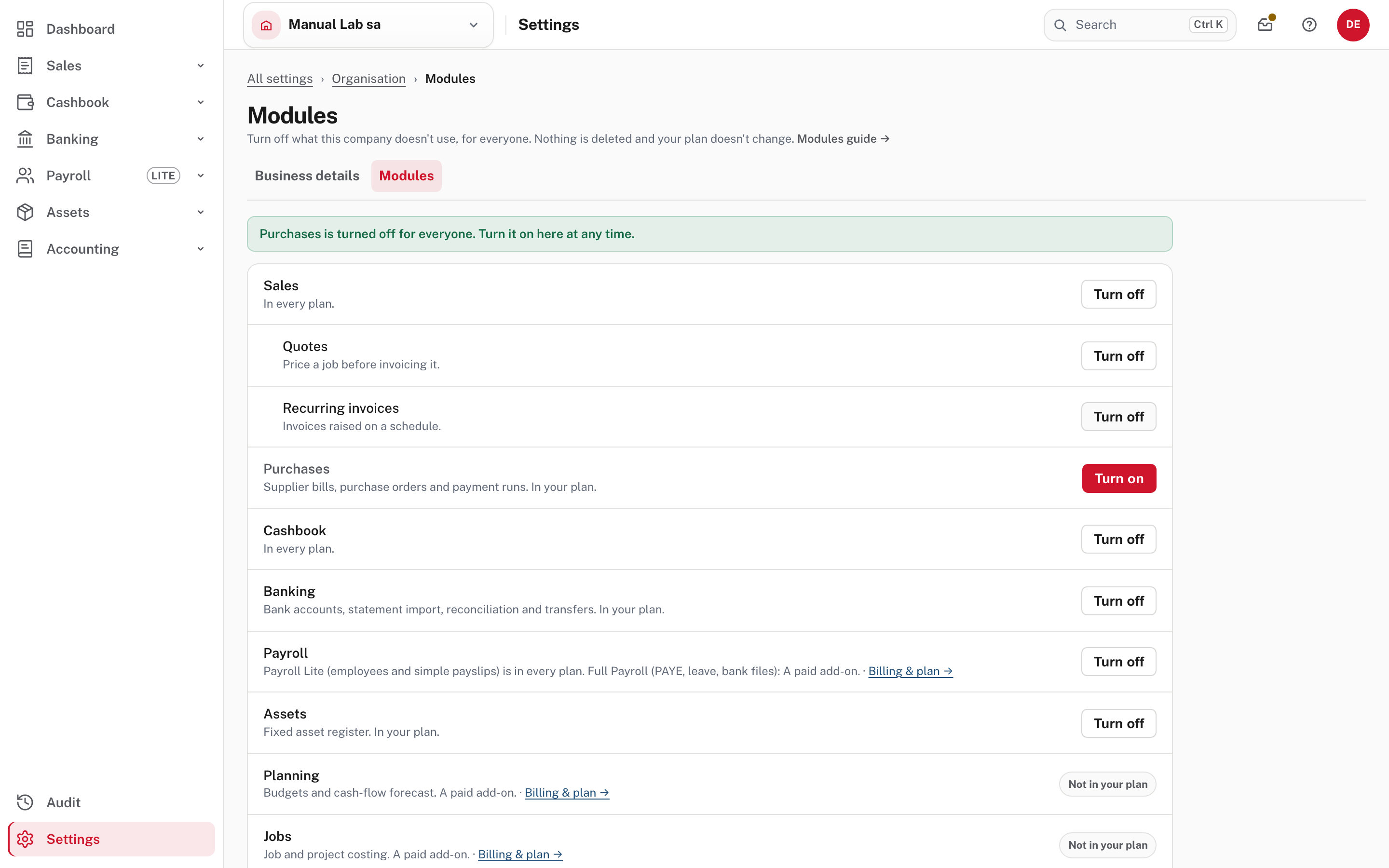
Compare the menu on the left with the first picture: Purchases has gone. The notice says Purchases is turned off for everyone. Turn it on here at any time., the row now offers a red Turn on, and the five Purchases features have disappeared from the list, because a module that is off takes its features with it.
Step 3. When Easy refuses
Choose Turn off on a module or feature that still has work running and nothing changes: a notice says what to finish first.
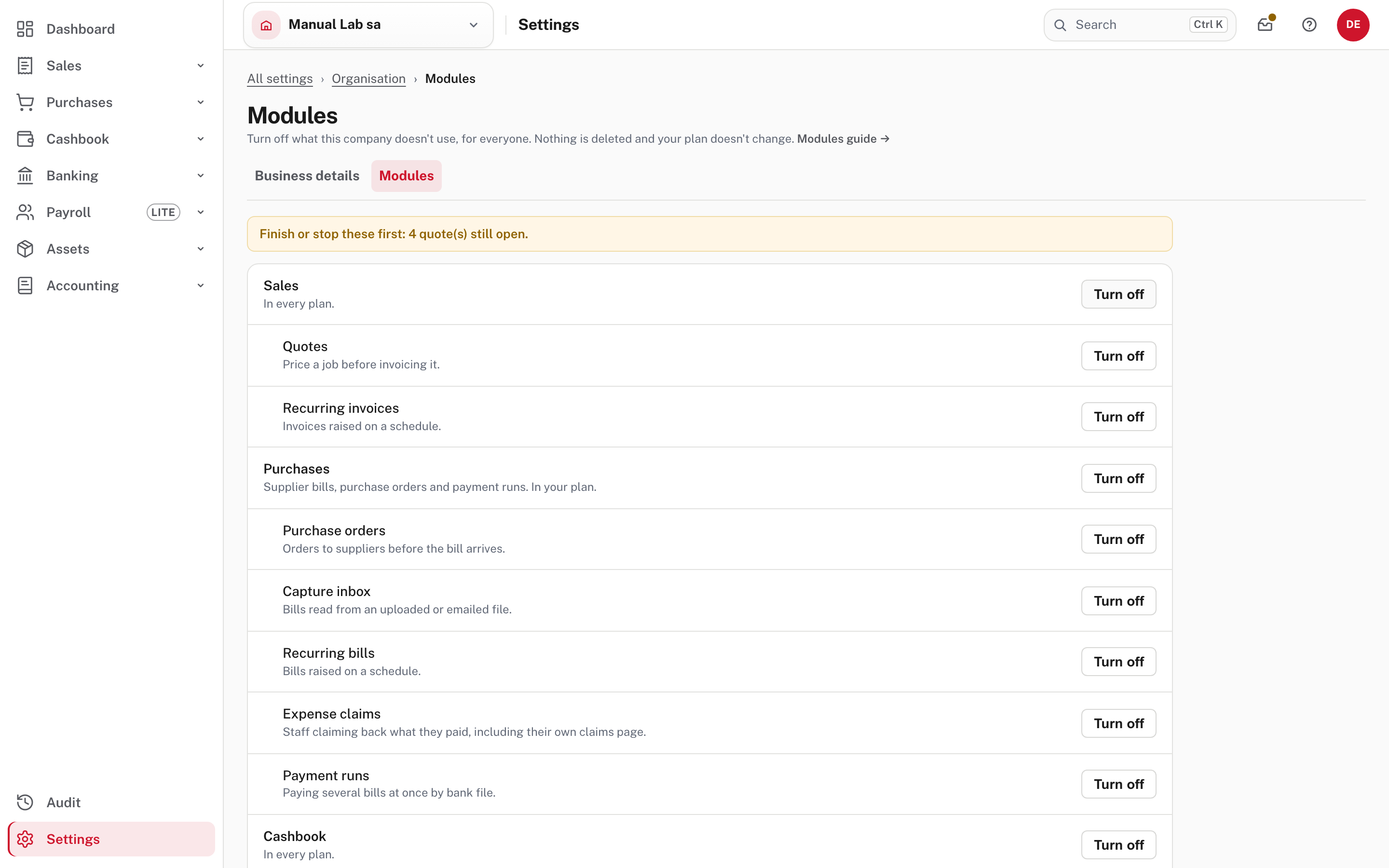
Finish or stop these first: 4 quote(s) still open. Here four quotes were still Draft or Sent. Easy won't switch something off while work would be left stuck behind a closed door. What counts as work running (Turning modules and features off):
- recurring invoice, bill or journal schedules still active, and prepayment or accrual schedules still active (stop them on their own pages);
- quotes still open (Draft or Sent), purchase orders in draft or waiting for approval, and captured files waiting in the inbox;
- expense claims in draft or waiting for approval, payment runs not yet posted or cancelled, and pay runs not yet posted;
- assets still depreciating, and jobs still open.
A module counts the work of its features as well as its own, so turning off Sales is refused while a quote is open (from Easy's source; not tried in the demo). Finish the work, or stop the schedule, and choose Turn off again.
Step 4. What it looks like with a module off
Any page of a module that is off, for example Purchases → Bills, reached from a saved link or a typed address (the menu no longer has it).
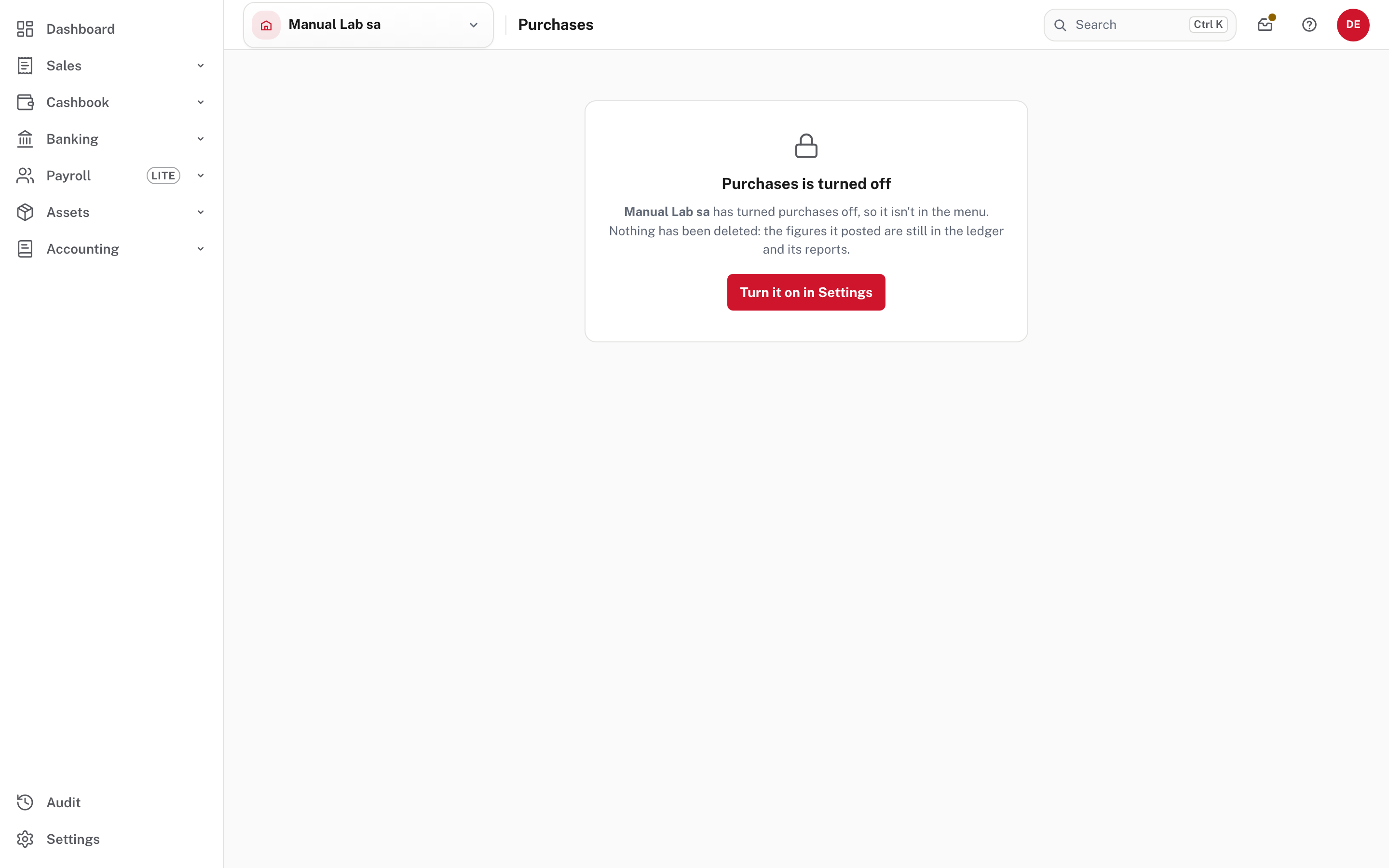
The page says Purchases is turned off, that the company turned it off so it isn't in the menu, and that nothing has been deleted. An Owner or Administrator gets a Turn it on in Settings button (the picture shows that view). Help adds that the module's reports leave the Reports pages and that the link back is offered to Owners and Administrators (Help); what anyone else sees on this page is not shown in the demo.
The books keep everything
With Purchases off, open Accounting → Reports → Trial balance.
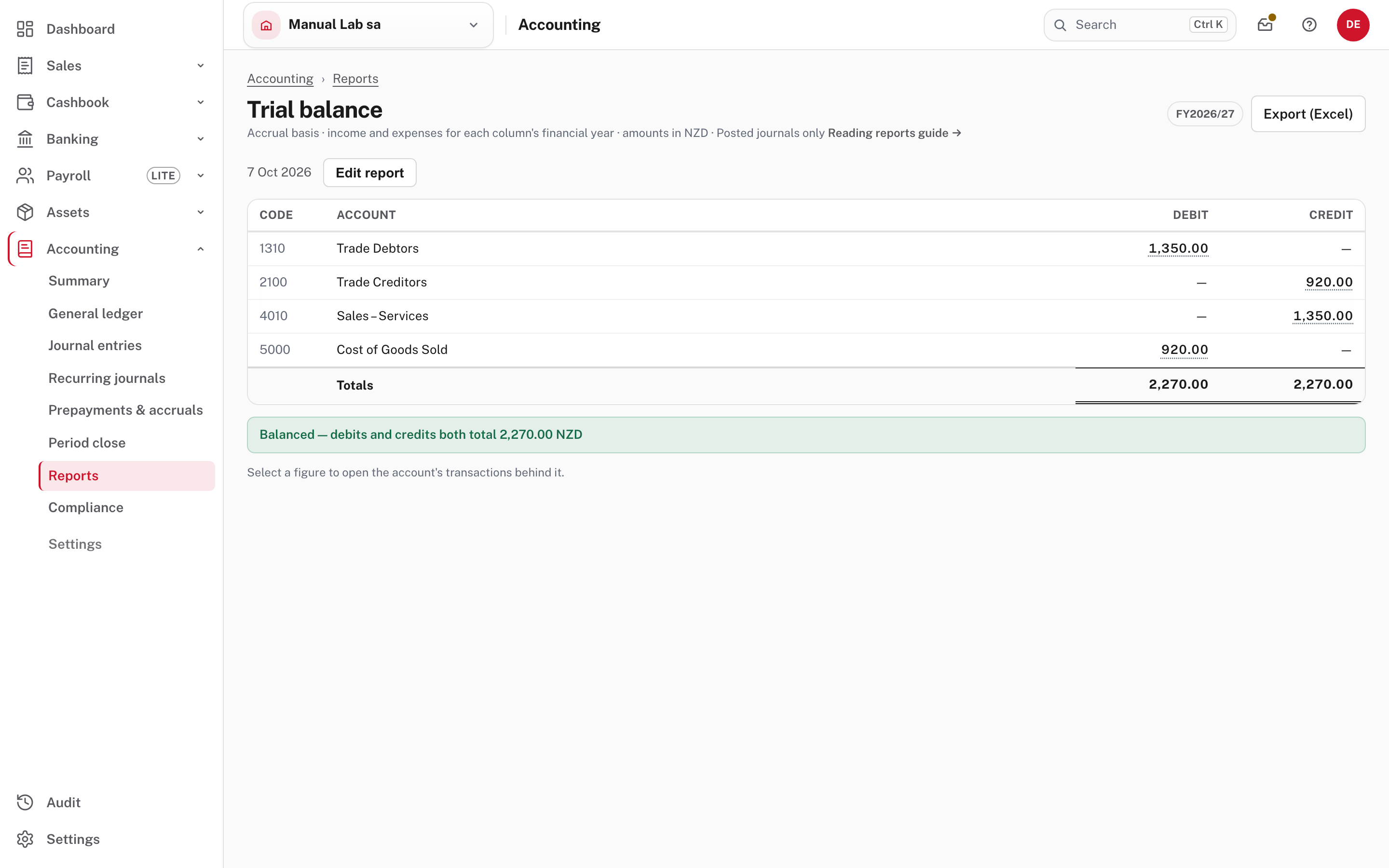
Trade Creditors ($920.00) and Cost of Goods Sold ($920.00) are the two bills recorded in Purchases before it was turned off, and the trial balance still balances. The ledger and every report keep their figures; only the way in has been closed.
Step 5. Turn it on again
Settings → Organisation → Modules → Turn on. The notice says Purchases is on again.
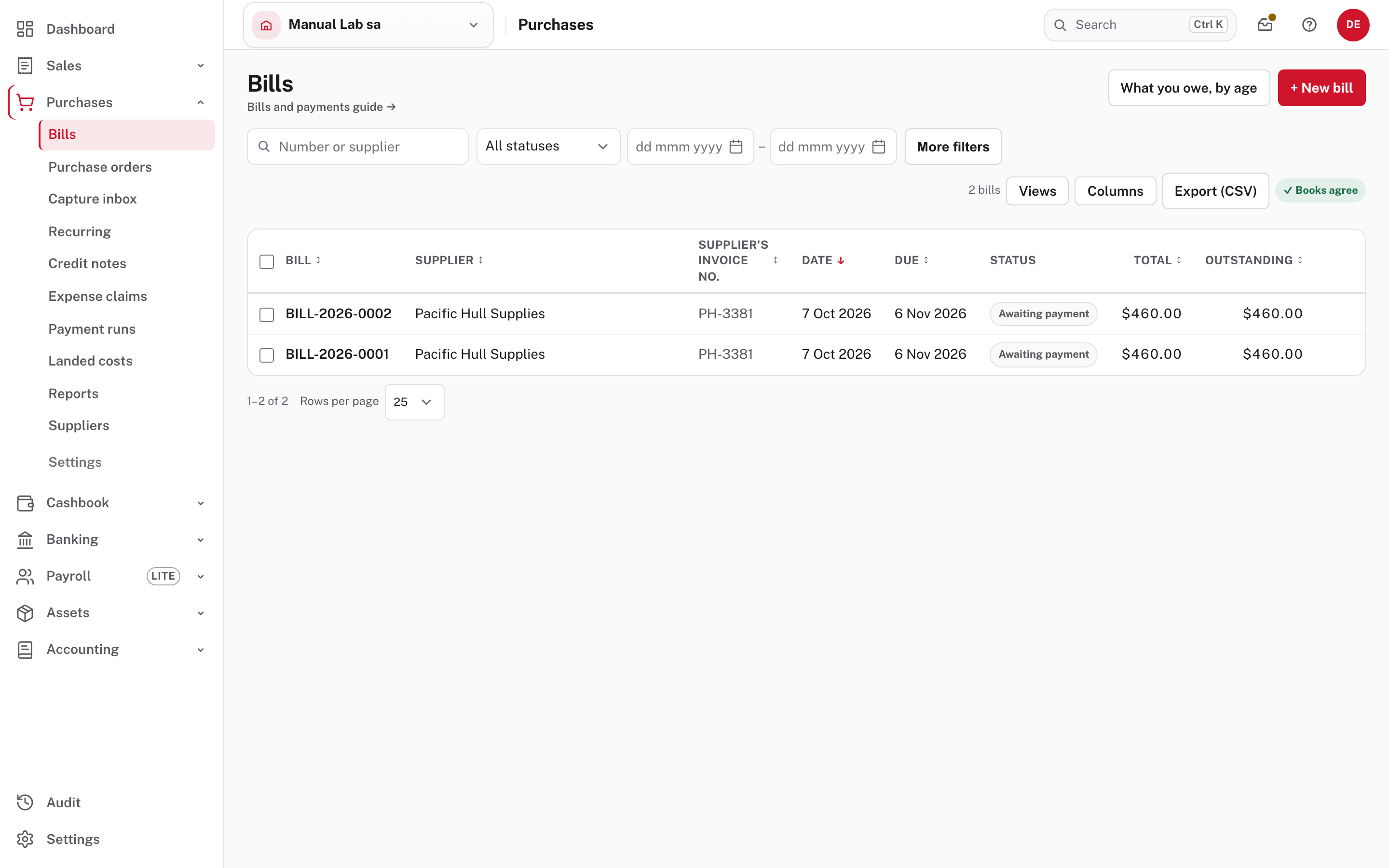
Purchases is back in the menu, with its features, and the bill list shows both bills as they were. Nothing needs setting up again.
Who can do this
Only the Owner and Administrators open this page. Anyone else who follows a link to it sees the page below.
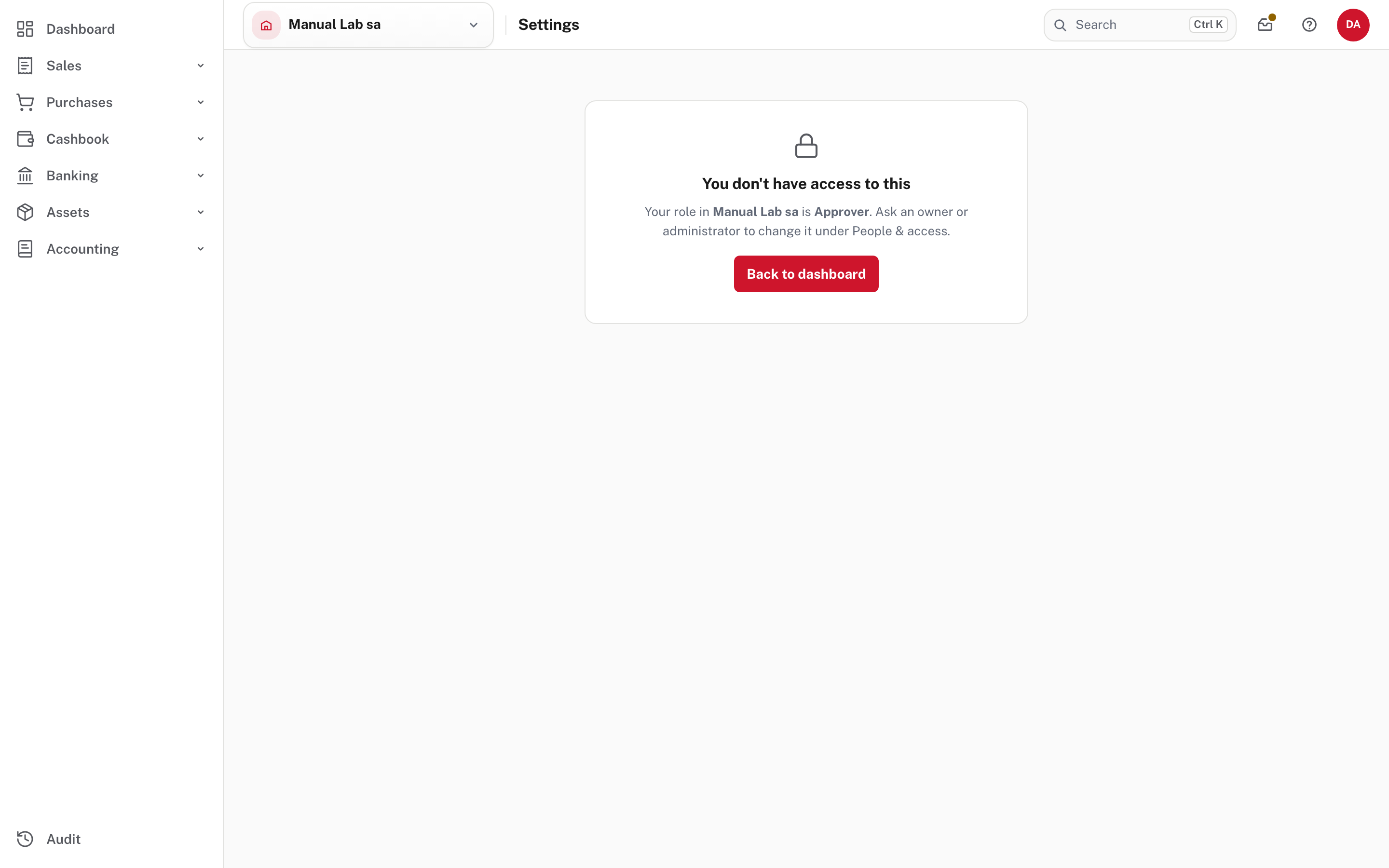
You don't have access to this. Your role in Manual Lab sa is Approver. Ask an owner or administrator to change it under People & access. People's roles and what each can do are in People, roles and access. An Accountant has the same limit: company administration, which includes modules, is not part of keeping the books.
Not shown in the demo
From Easy's Help, not tried in the demo: a paid module you turn off is still billed until you change the plan under Billing & plan, because turning off only hides it (Billing, backups and your data); and the Data entry role sees only the day-to-day pages, which is the way to shorten one person's menu (Roles explained).
Check before you continue
Check before you continue
- Only modules and features nobody in the business uses are turned off, and everyone who needs one still has it.
- Anything Easy refused has been finished or stopped, not just ignored.
- You know a module that is off is still in the books: its figures stay in the ledger and the reports.
- You turned off a paid add-on and still want to pay for it? Check Billing & plan: turning off does not change the plan.
- A colleague who needs a shorter menu has the right role instead.