Monthly VAT and PAYE returns
Do this every month. The RM205 is one return that covers the month's VAT on sales and purchases and the month's wages and PAYE. Easy works every box out from your books; you check the figures, file the return in Easy (which freezes it), lodge it with RMD, and record the payment. It is due on the 20th of the following month.
Easy does not send the return to RMD. You lodge the RM205 (print it as a PDF) and pay RMD as usual.
About the screenshots
Screenshots are from Easy's demo company, Little Polynesian Café, preparing September 2026. All figures are examples.
Before you start
Do these first, because the return reads your books as they stand:
- All the month's invoices, bills, receipts and payments are entered, with the right VAT codes.
- All the month's pay runs are finished (the return's wages and PAYE come from them). See After the pay run.
- Bank reconciliation for the month is done, so that nothing is missing from the books (Bank reconciliation).
- The company is registered for VAT, with the right VAT return basis. If it isn't registered, the VAT part and this page are hidden (see VAT: registration, tax codes and rate changes).
Step 1. Open Compliance
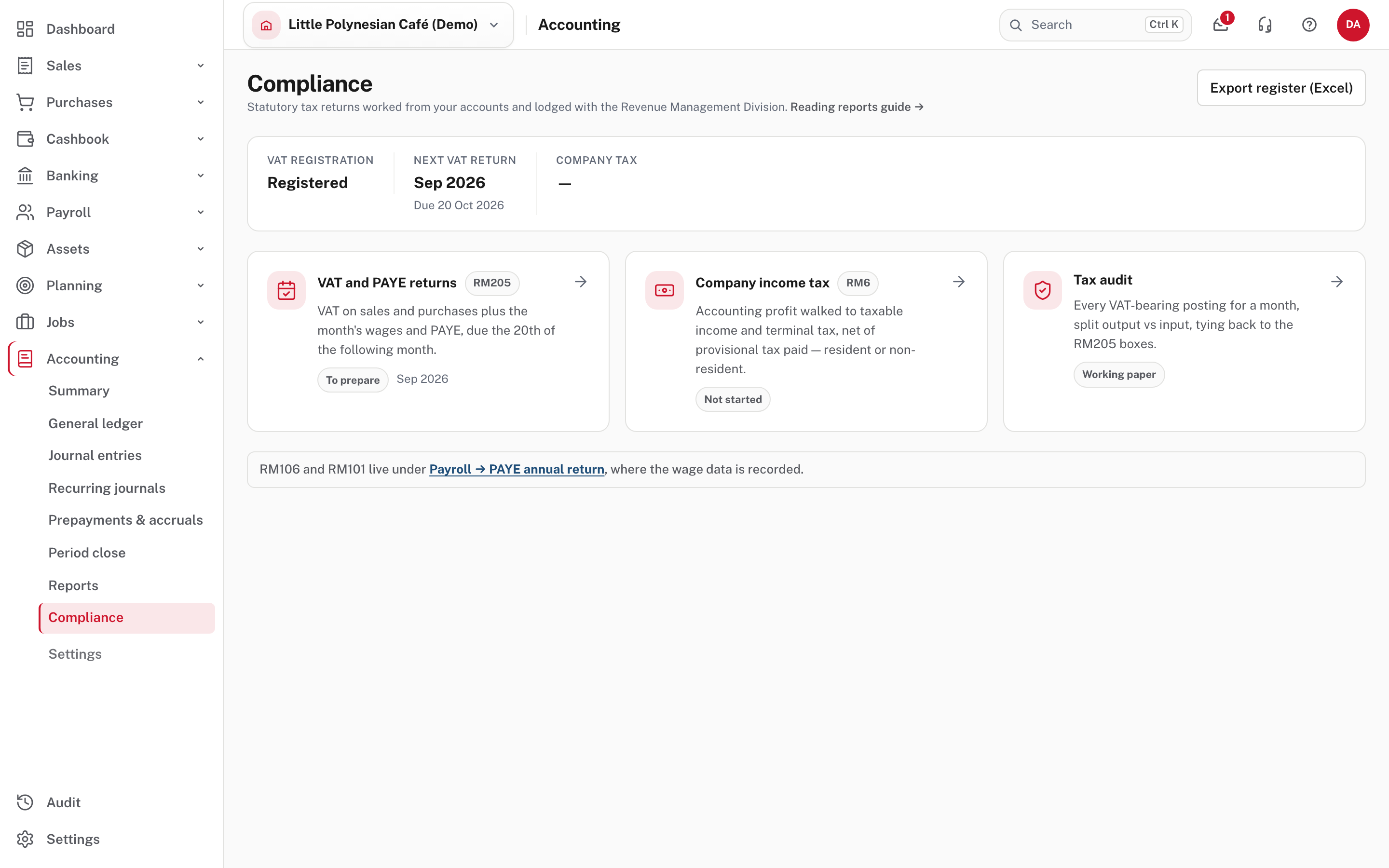
Accounting → Compliance shows whether the company is registered, the next VAT return and its due date, and the company tax return. VAT and PAYE returns shows the month to prepare.
Step 2. Open the month to prepare
Choose VAT and PAYE returns.
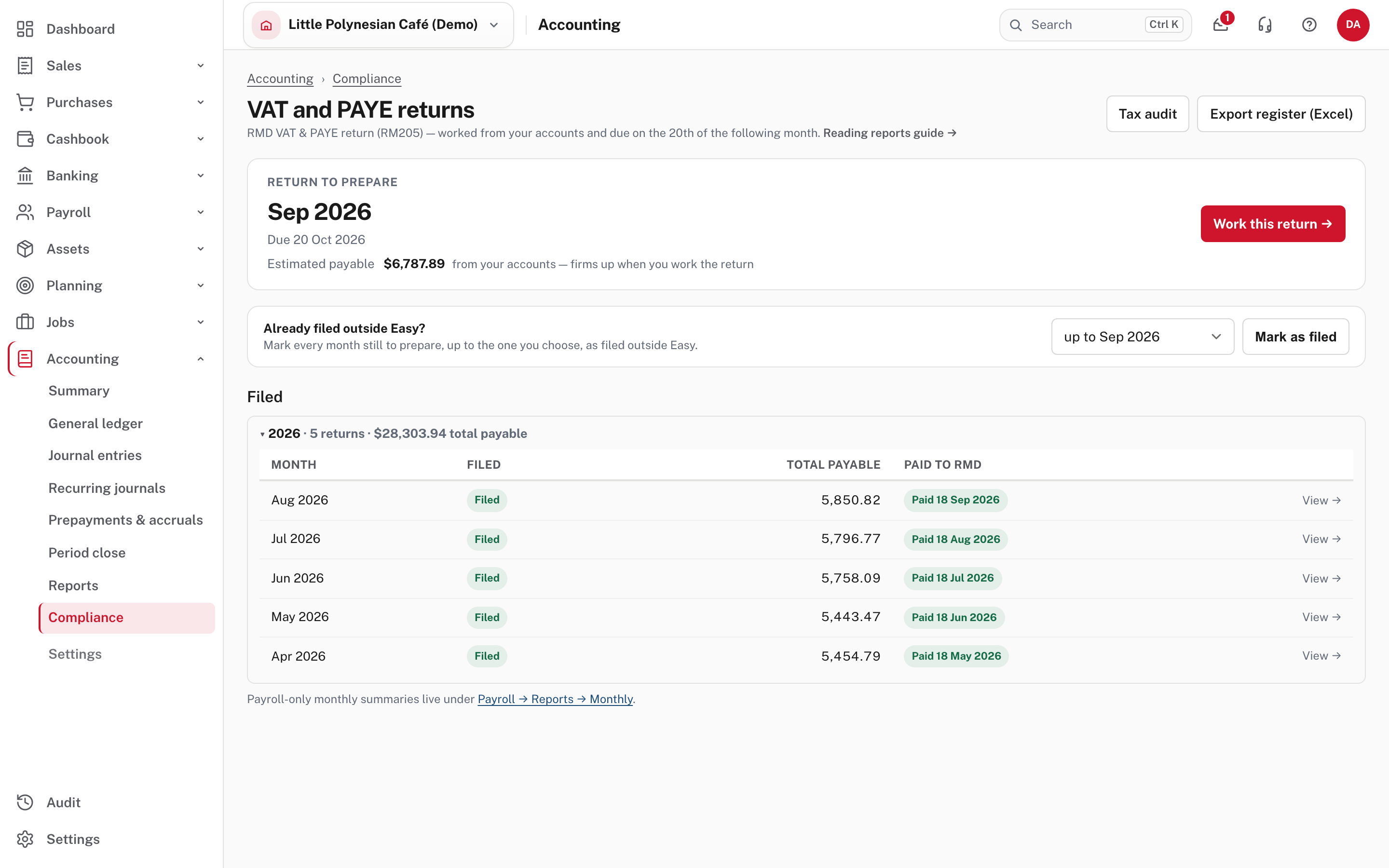
- Return to prepare: the month, its due date, and an estimated payable that firms up when you work the return. Choose Work this return →.
- Filed: every return already filed, with the total payable and the date it was paid to RMD. View opens one.
- Already filed outside Easy? If you kept lodging from a previous system after you moved your books to Easy, use Mark as filed to mark every month still to prepare, up to the one you choose, as filed outside Easy. They move to Filed before Easy, each with an Undo. Months on or before your opening-balance date are already there.
Step 3. Read the return
The page opens on the month you chose (the Month list at the top changes it). It shows the period, the due date, your RMD number, the VAT basis (here When invoiced (not when paid), changed under Settings → Tax) and the status Draft. Below it is the RM205 itself, every box worked from your books.
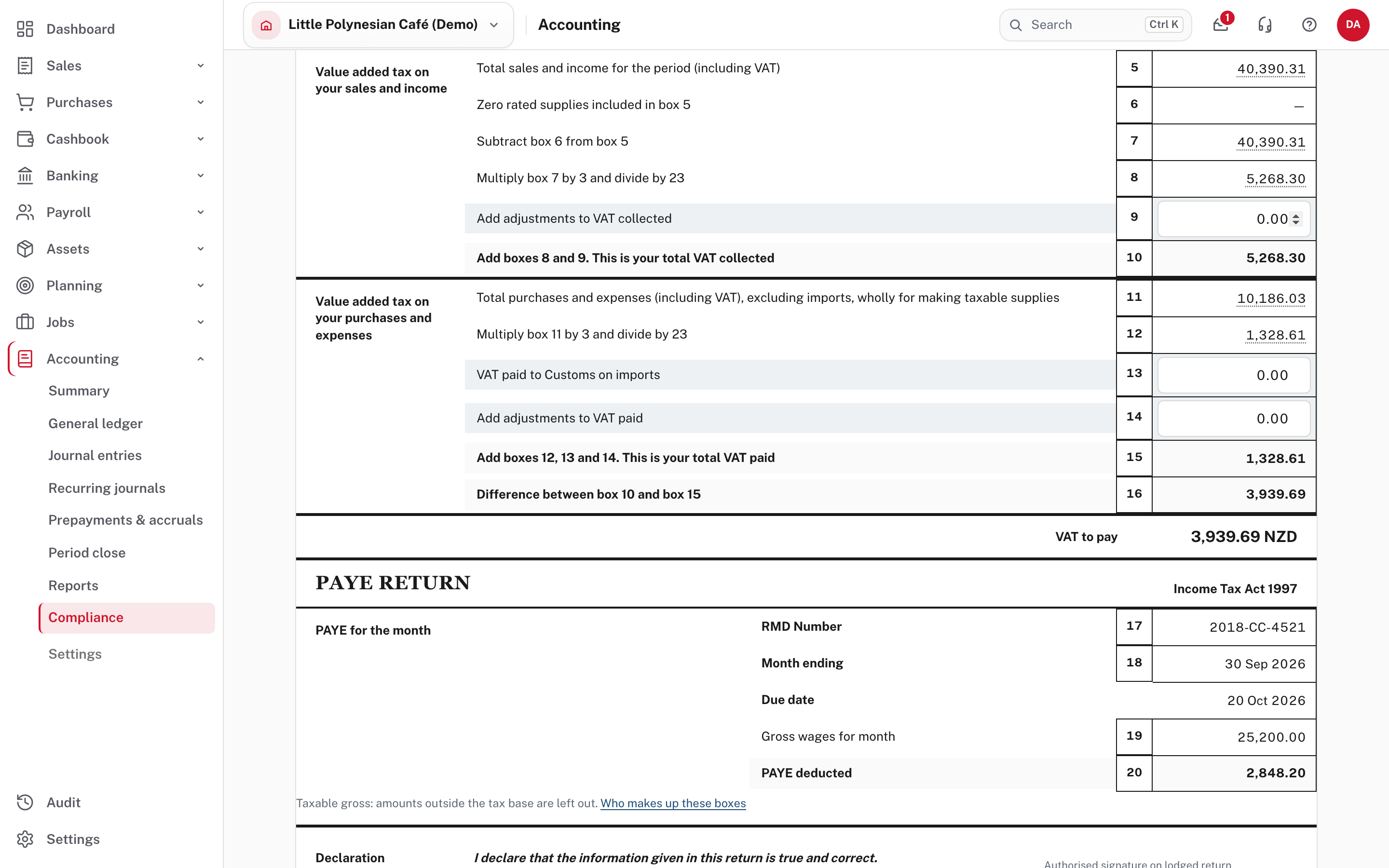
| Boxes | What they are |
|---|---|
| 5, 6, 7 | Total sales and income including VAT, less zero-rated supplies |
| 8 | Box 7 × 3 ÷ 23: the VAT collected |
| 9 | Adjustments to VAT collected (you can type one) |
| 10 | Total VAT collected |
| 11, 12 | Total purchases and expenses including VAT (imports excluded) and the VAT on them (× 3 ÷ 23) |
| 13, 14 | VAT paid to Customs on imports, and adjustments to VAT paid (you can type them) |
| 15, 16 | Total VAT paid, and the difference between boxes 10 and 15: the VAT to pay |
| 19, 20 | Gross wages for the month and PAYE deducted |
Every worked-out sales and purchases box opens the tax audit lines behind it. Boxes 9, 13 and 14 are the only ones you type into.
The PAYE boxes agree with Payroll
Box 19 (gross wages) and box 20 (PAYE deducted) are the same figures as the September PAYE schedule in Payroll (25,200.00 and 2,848.20 in the demo). They are the taxable gross: amounts outside the tax base are left out.
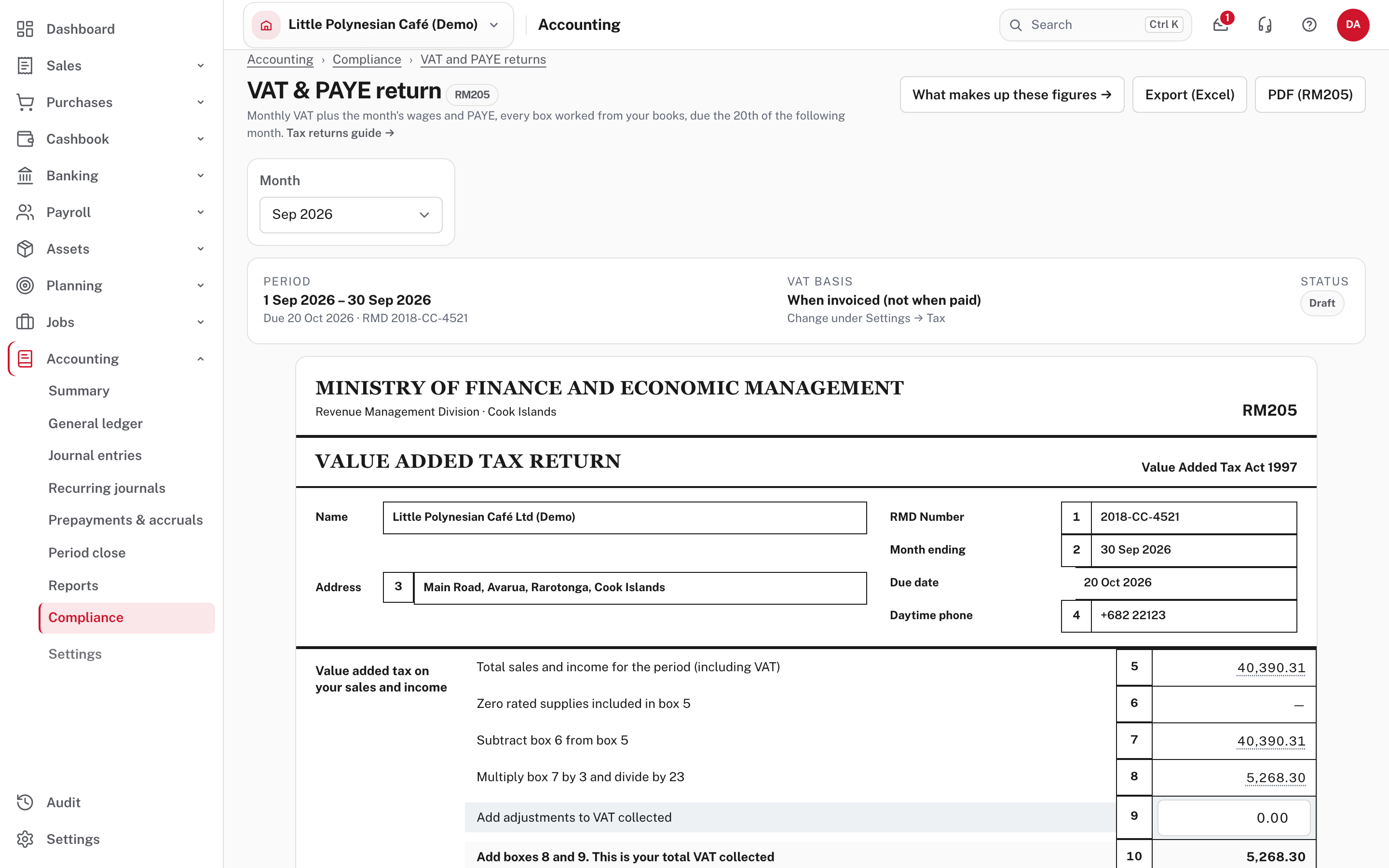
At the foot of the return, box 21 is the VAT payable (box 16, if positive), box 22 is the PAYE, and box 23 is the total payment to RMD.
Step 4. Check it against your books
Scroll to Check against your books.
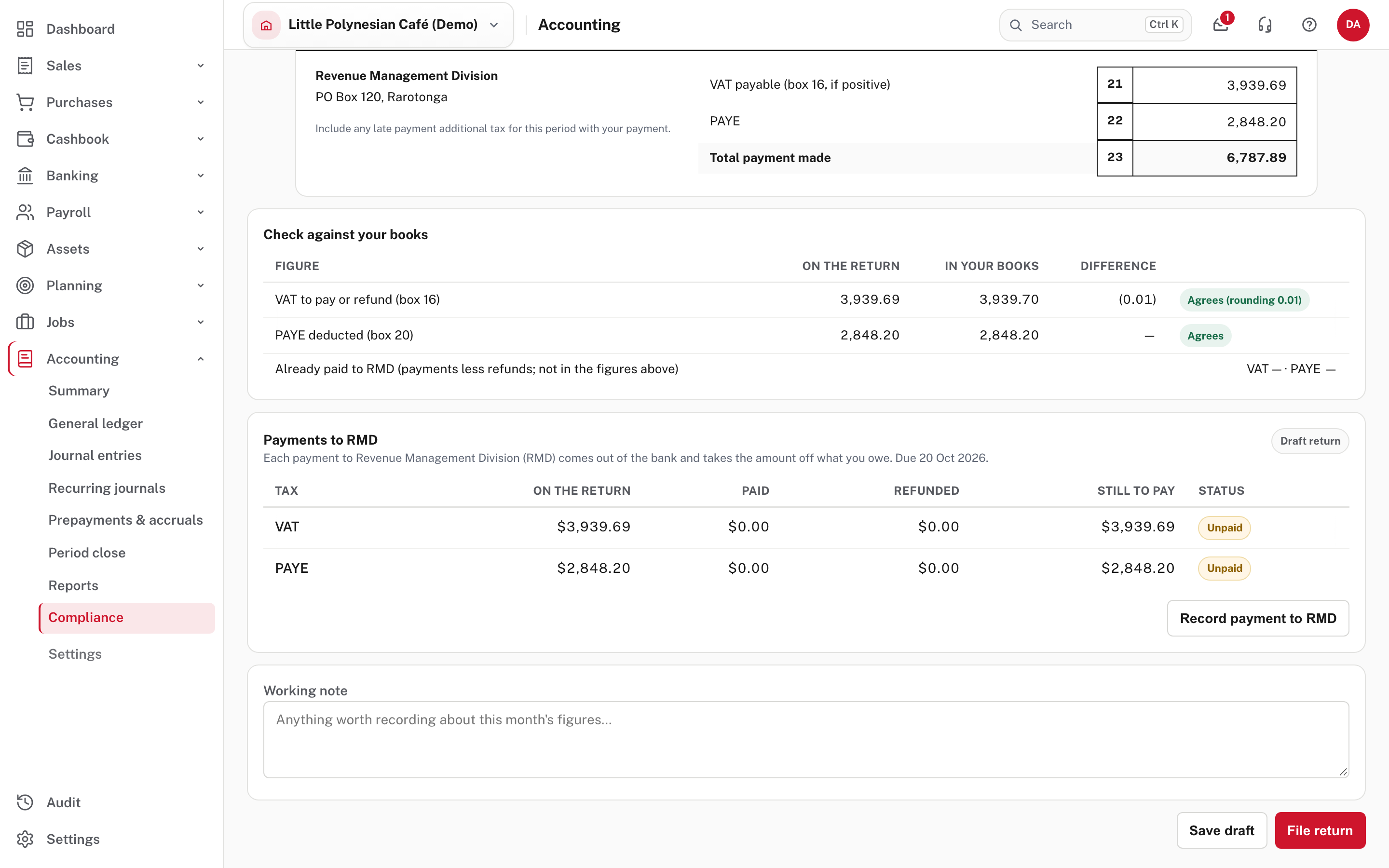
For the VAT to pay (box 16) and the PAYE deducted (box 20) it shows the figure on the return, the figure in your books, the difference and the result. Agrees is what you want; Agrees (rounding 0.01) is a cent of rounding. It also shows what has already been paid to RMD for the month.
If a figure doesn't agree, find out why before you file: a late-entered invoice or bill, a bill coded to the wrong VAT code, a pay run not finished, or an entry dated in the wrong month. See Reading the reports: tax returns.
What makes up these figures → at the top explains where each box comes from.
Step 5. Use the tax audit
Tax audit (top right of VAT and PAYE returns) is the working paper behind the return.
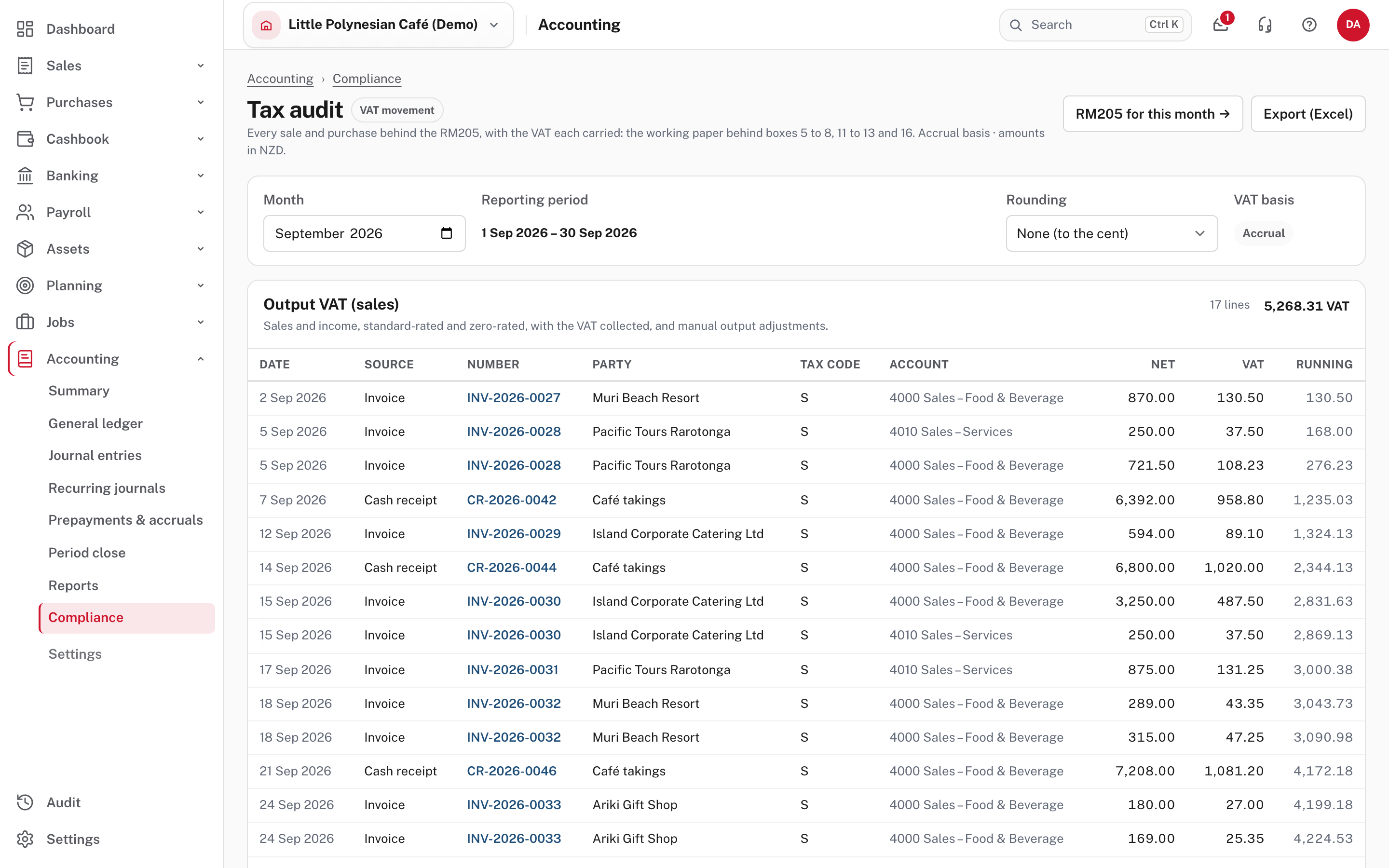
It lists every VAT-bearing line for the month, split into output VAT (sales) and input VAT (purchases): the date, source, number, customer or supplier, tax code, account, net, VAT and a running total. The lines add up to the boxes. Exempt and no-VAT lines are in no box, so they are not listed. On the payments basis, it shows the part of each invoice or bill that a receipt or payment settled that month. You can choose the rounding (to the cent, whole dollars, thousands) and Export (Excel).
Step 6. File the return
Scroll to the foot of the return and choose File return.
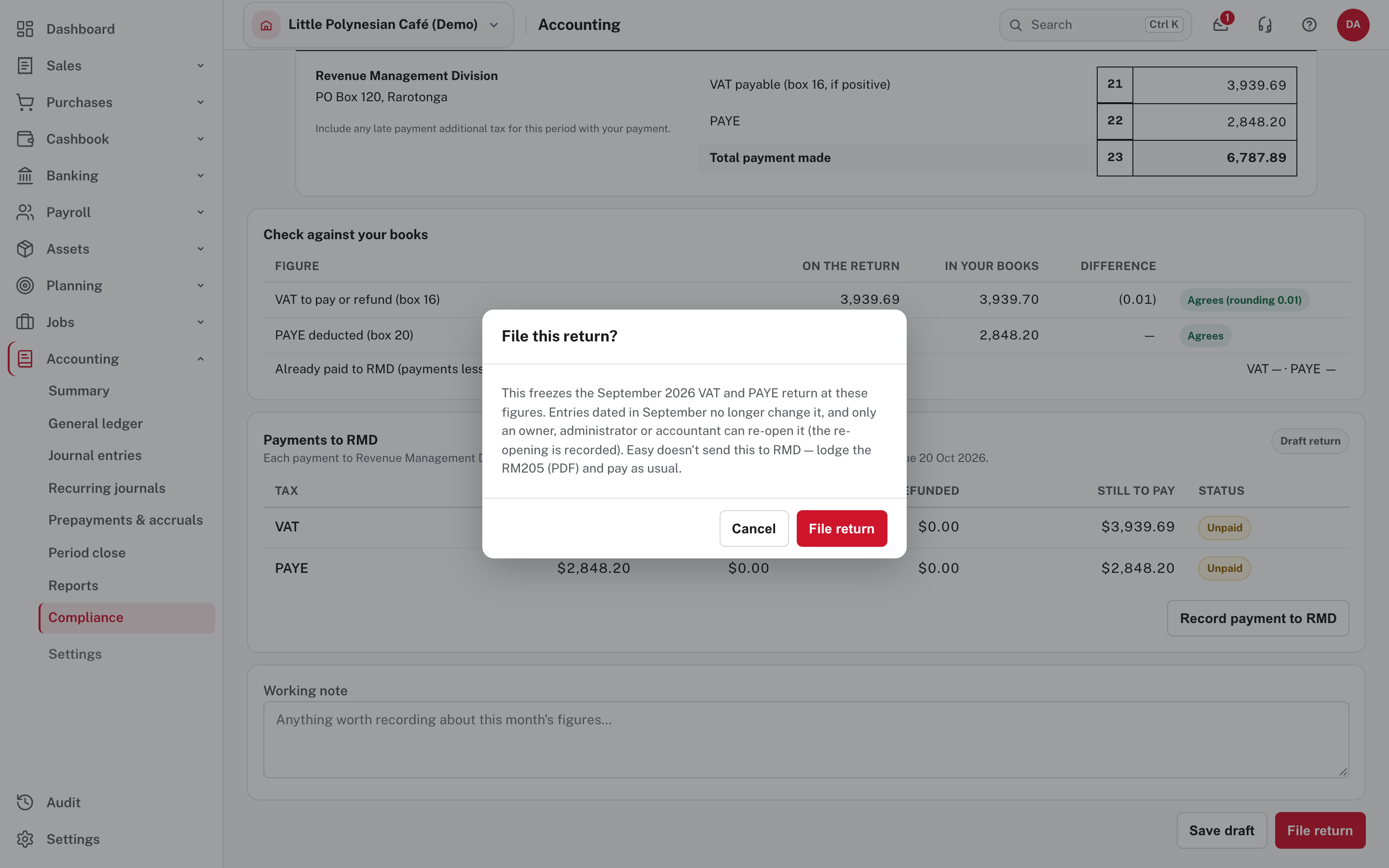
Filing freezes the return at these figures: entries dated in that month no longer change it, and only an owner, administrator or accountant can re-open it (the re-opening is recorded). Save draft keeps your work without filing. Use the Working note to record anything worth remembering about the month's figures.
Then lodge the RM205 with RMD: choose PDF (RM205) at the top to print it, or Export (Excel). Easy doesn't send it.
Step 7. Pay RMD and record it
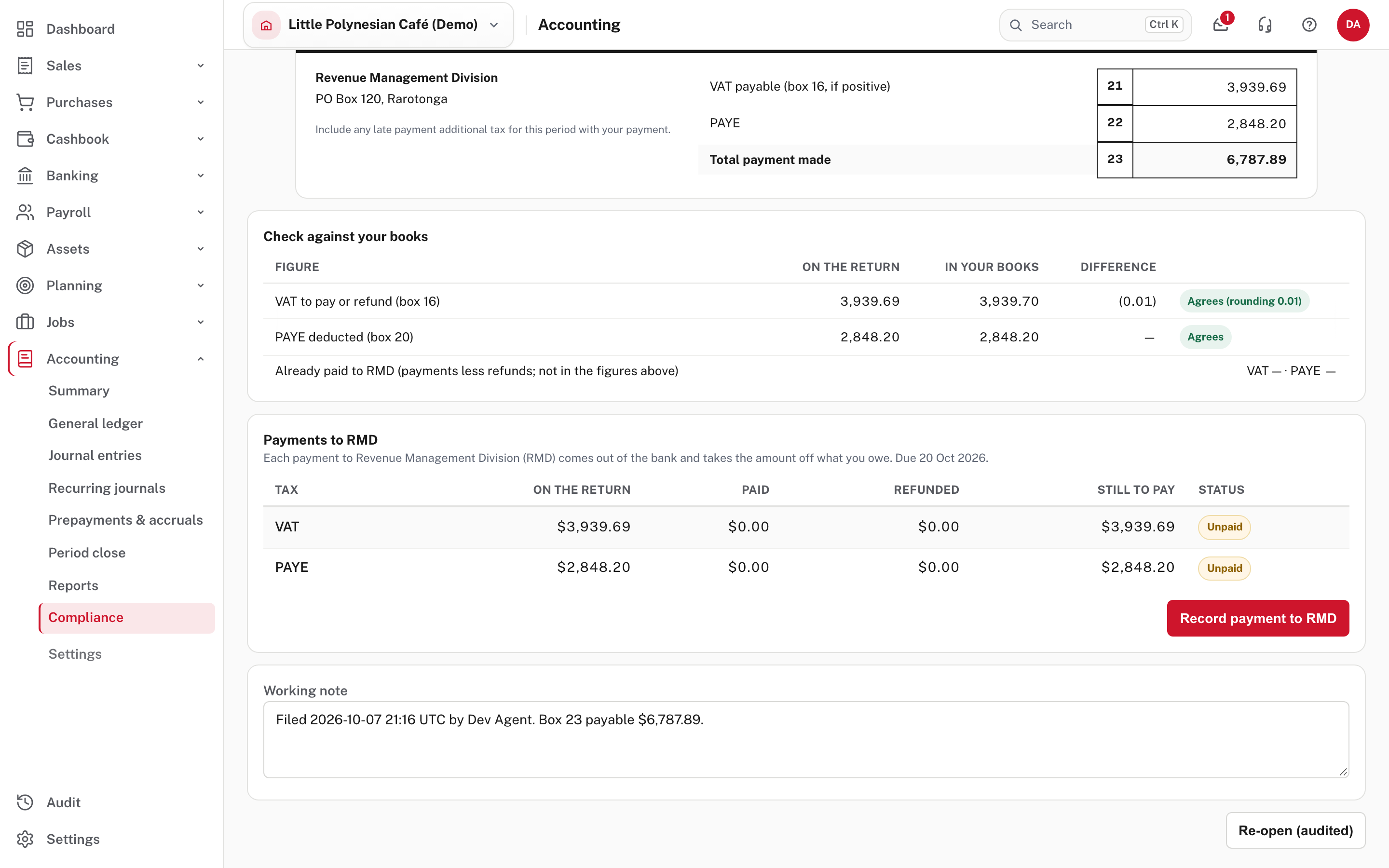
Payments to RMD lists the VAT and the PAYE on the return, what has been paid and refunded, what is still to pay, and the status (Unpaid). Pay RMD from your bank, then choose Record payment to RMD.
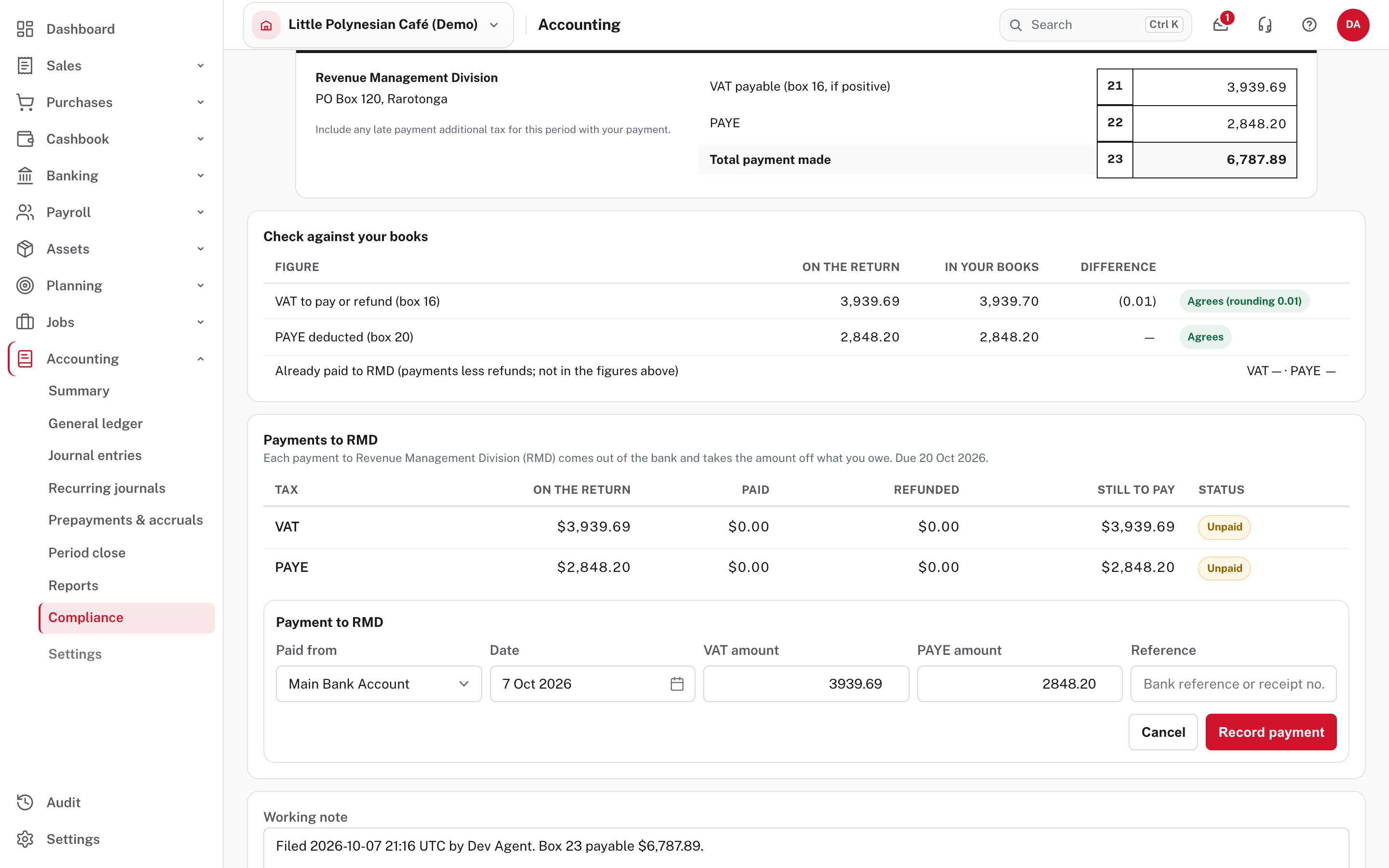
Choose the account it was paid from, check the date, and the VAT and PAYE amounts (filled in with what is owing). Add the bank's reference or receipt number and Record payment. A partial payment is fine and leaves the rest still to pay.
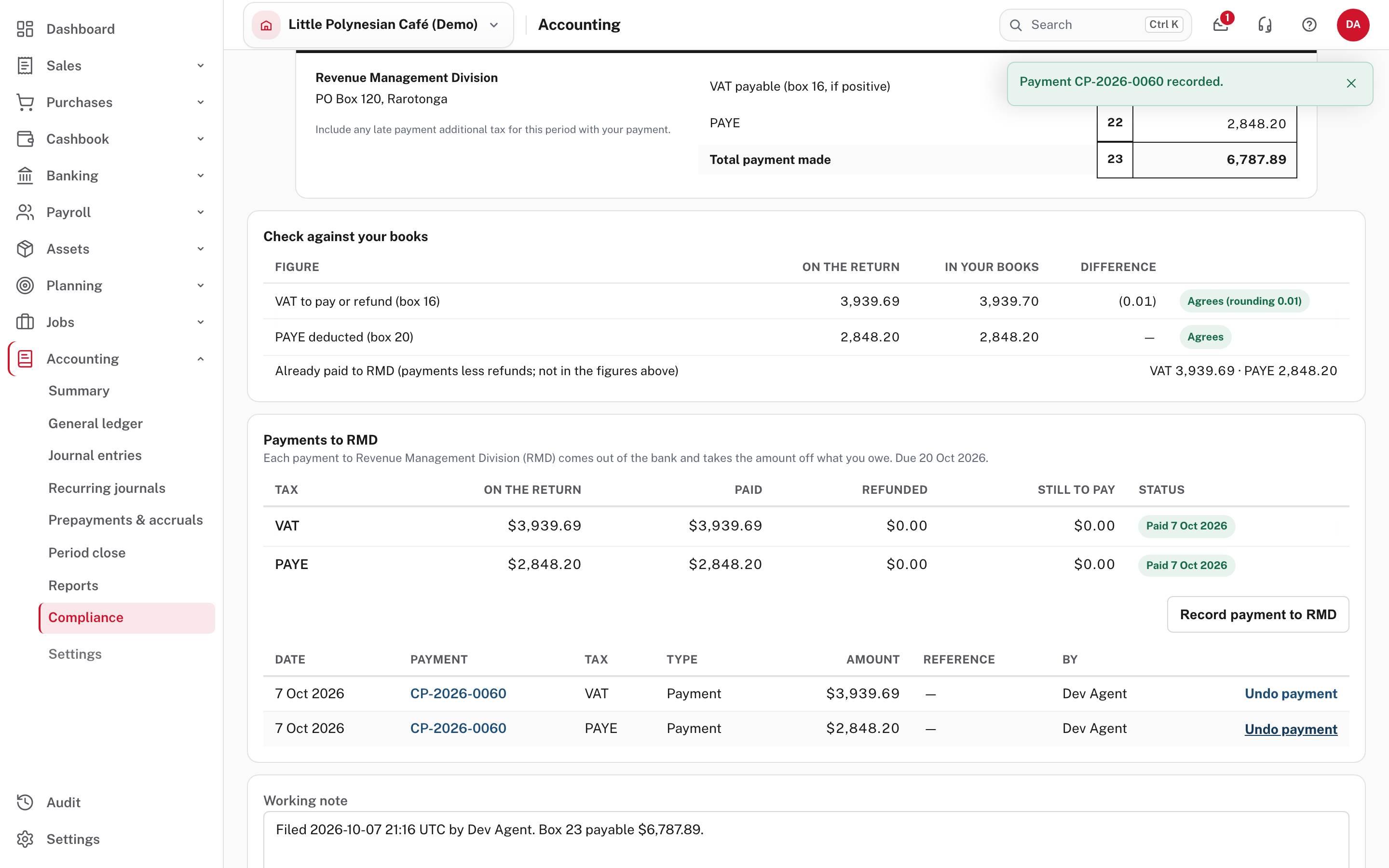
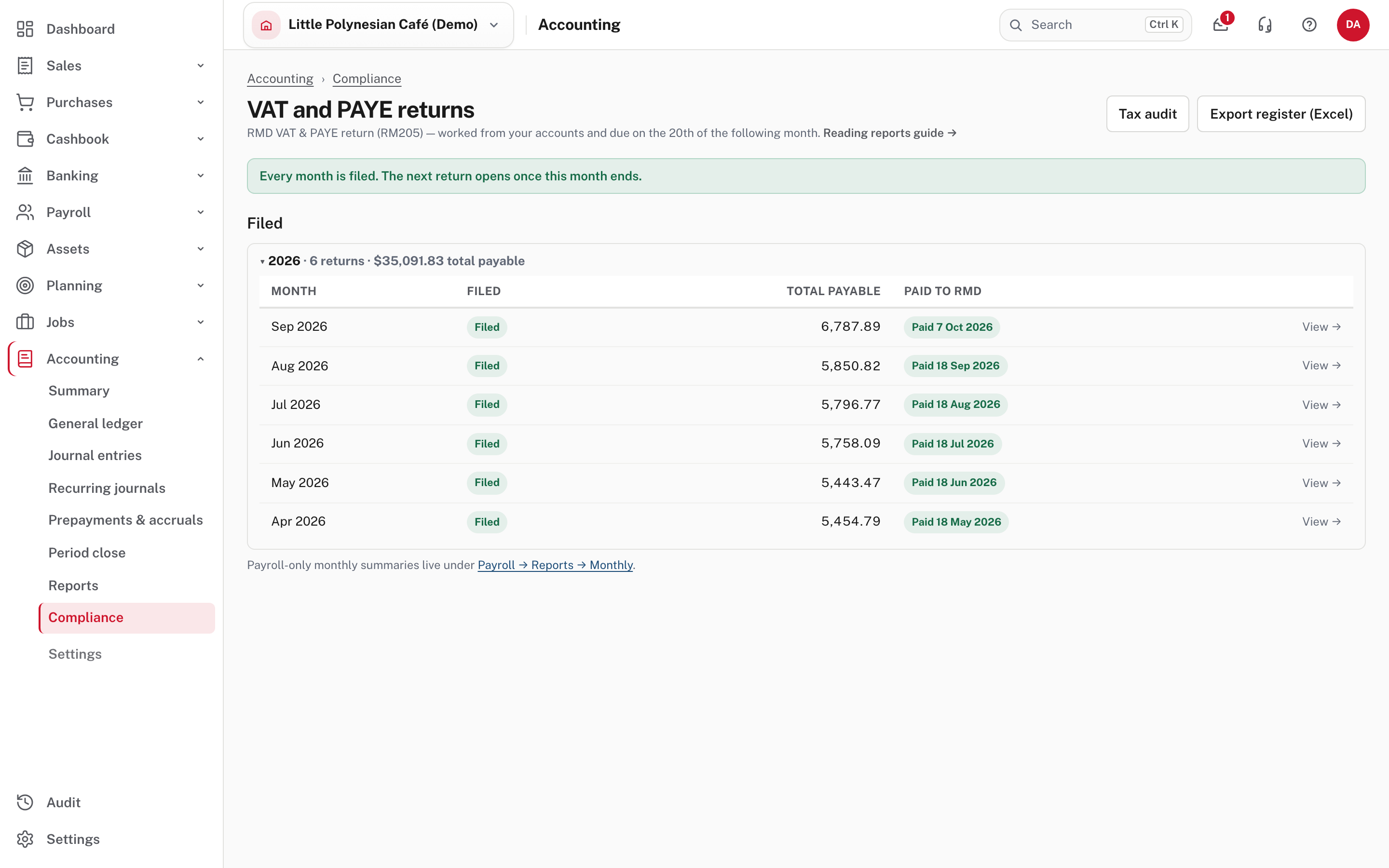
The list now shows the month as Filed and Paid to RMD with its date.
If you need to change a filed return
A filed return is frozen. Re-open it (an owner, administrator or accountant) to correct it, then file it again. The re-opening is recorded. A payment recorded in error can be cancelled where it was recorded.
Check before you continue
Check before you continue
- Every invoice, bill, receipt, payment and pay run for the month is entered, and the month is reconciled.
- Check against your books says Agrees for the VAT to pay and for the PAYE.
- Boxes 9, 13 and 14 hold only adjustments you can explain.
- The return is filed in Easy, lodged with RMD by the 20th, and the payment is recorded with the bank's reference.
- Month-end: continue with Month-end checklist and closing a period.