3. After the pay run
A finished pay run puts the PAYE and CINSF into your accounts as amounts you owe. They stay that way until you pay RMD and the CINSF fund and record the payments here. This chapter is the monthly routine, plus the checks that tell you the numbers agree.
About the screenshots
Screenshots are from Easy's demo company; figures are examples.
What a finished run did
For each pay run, Easy recorded one balanced entry:
| Amount | Goes to |
|---|---|
| Gross pay | Wages & Salaries |
| Employer CINSF | Its expense account |
| PAYE and CINSF (employee and employer) | Payables, owed until you pay them |
| Net pay | Out of the bank |
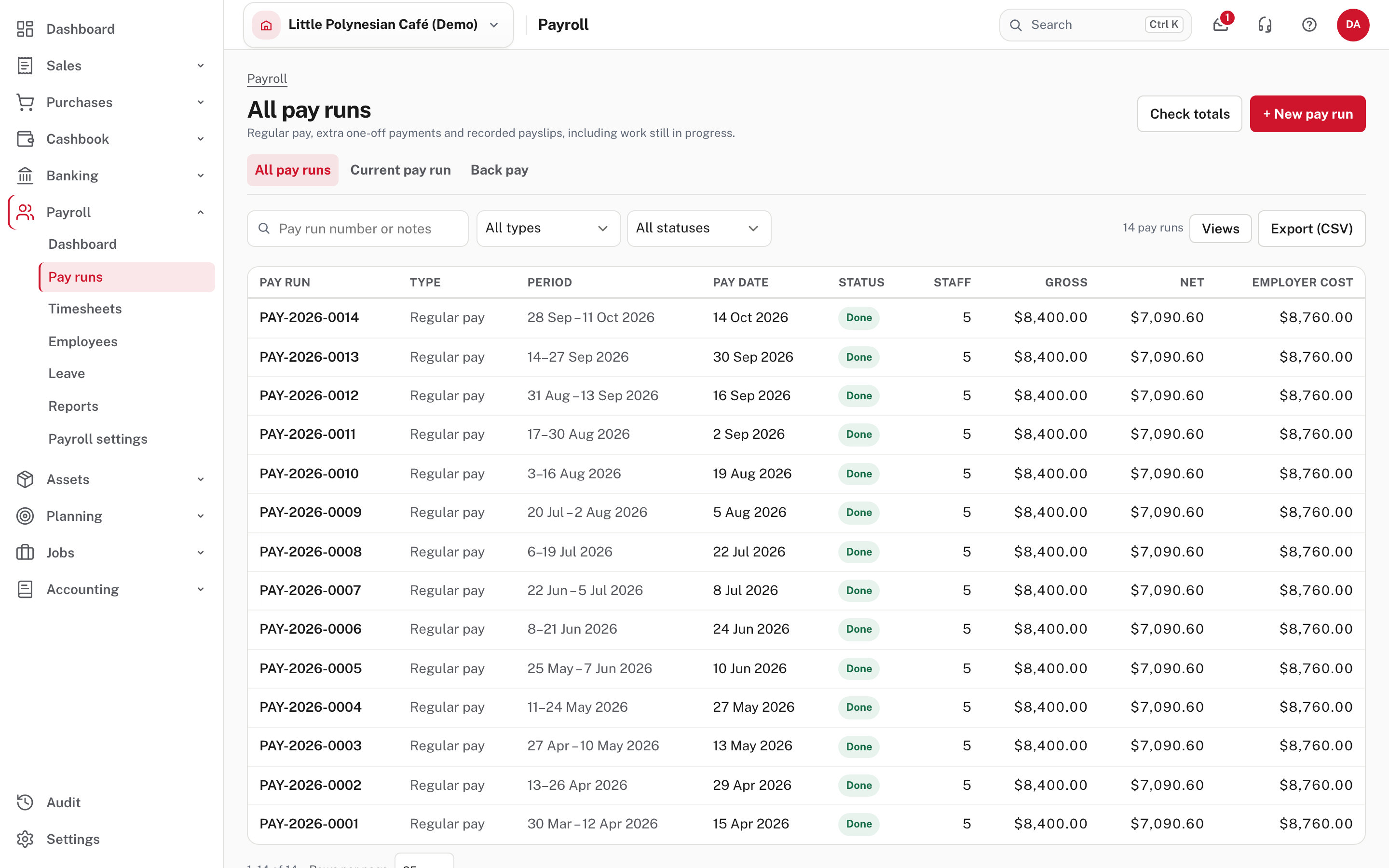
Every finished run appears under Payroll → Pay runs.
Step 1. Pay PAYE and CINSF each month
Payroll → Reports → Monthly PAYE and CINSF.
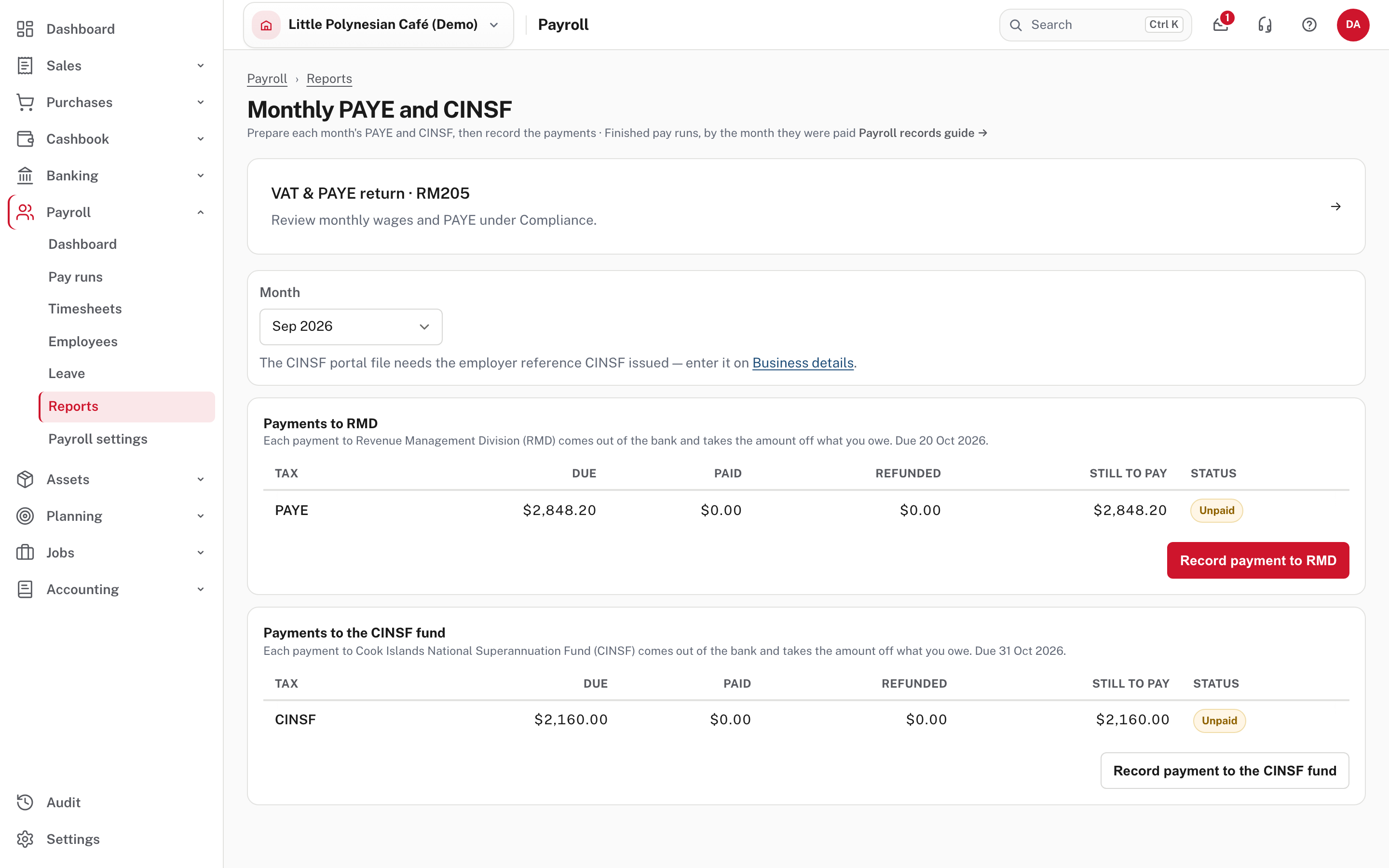
- Choose the Month. The page covers finished pay runs by the month they were paid.
- Under Payments to RMD and Payments to the CINSF fund, read the table: Due, Paid, Refunded, Still to pay and Status (here, Unpaid). Each section says when the payment is due.
- Pay the money from your bank in the usual way, then come back and choose Record payment to RMD (or Record payment to the CINSF fund).
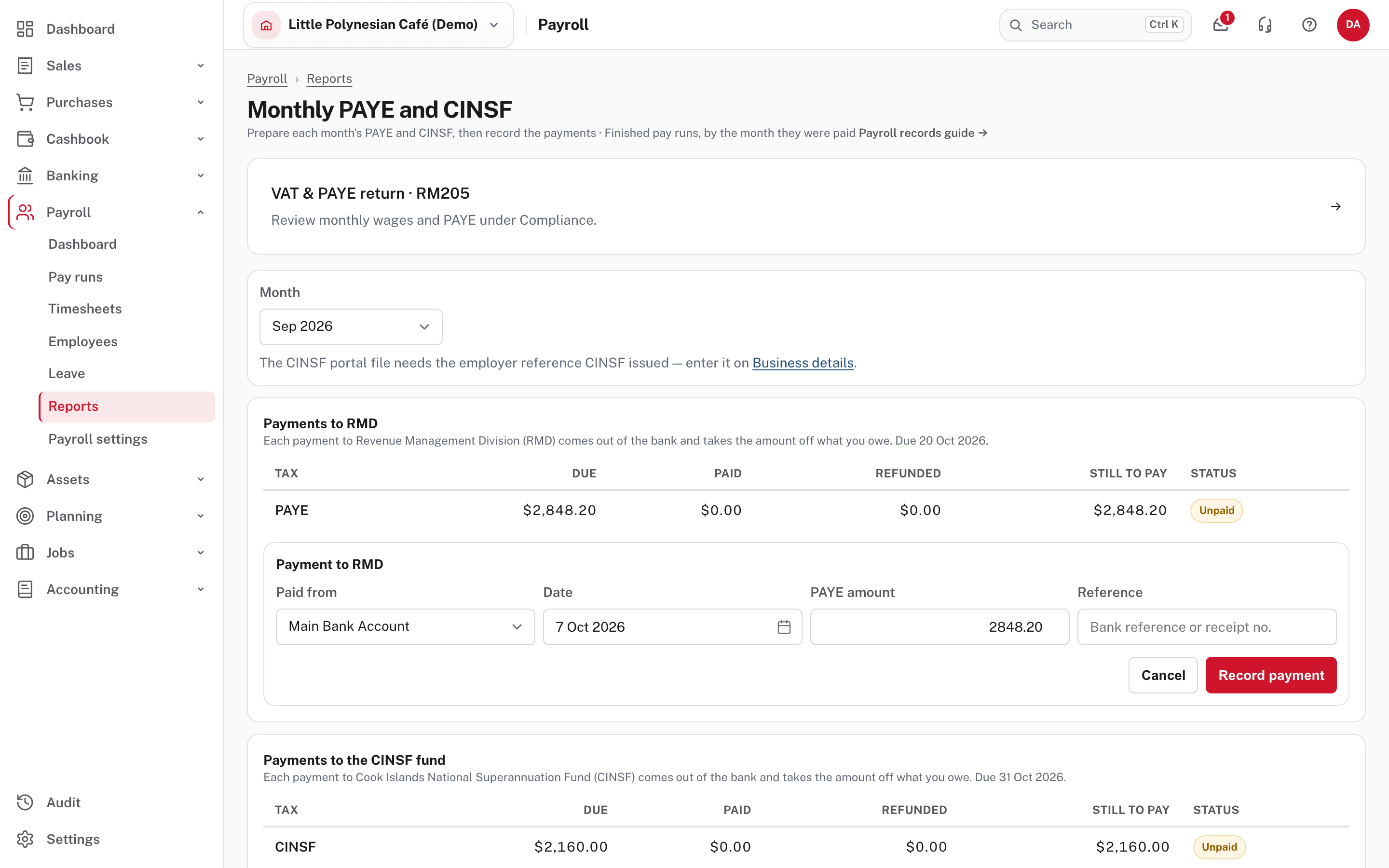
- Check Paid from (the bank account), the Date, and the PAYE amount, which is filled in with what is still owing. Add the bank's Reference or receipt number, then Record payment.
A partial payment is fine and leaves the rest still to pay. If you pay more than is owing, Easy asks first and then keeps the extra as a credit for later months. The person who runs the pays can record and cancel these payments as well as the accountant.
The CINSF portal file
The month's file for the CINSF portal is named the way the fund expects (CINSF_<employer reference>_<month end>.CSV)
and needs the employer reference CINSF issued. Enter it once on Settings → Business details (chapter 1, step 5).
More detail: Payroll records and reconciliation.
Check before you continue
- Still to pay for the month is $0.00 for PAYE and for CINSF, and the status is paid.
- The reference you entered matches the bank's receipt.
Step 2. Review the PAYE schedule
Payroll → Reports → PAYE schedule.
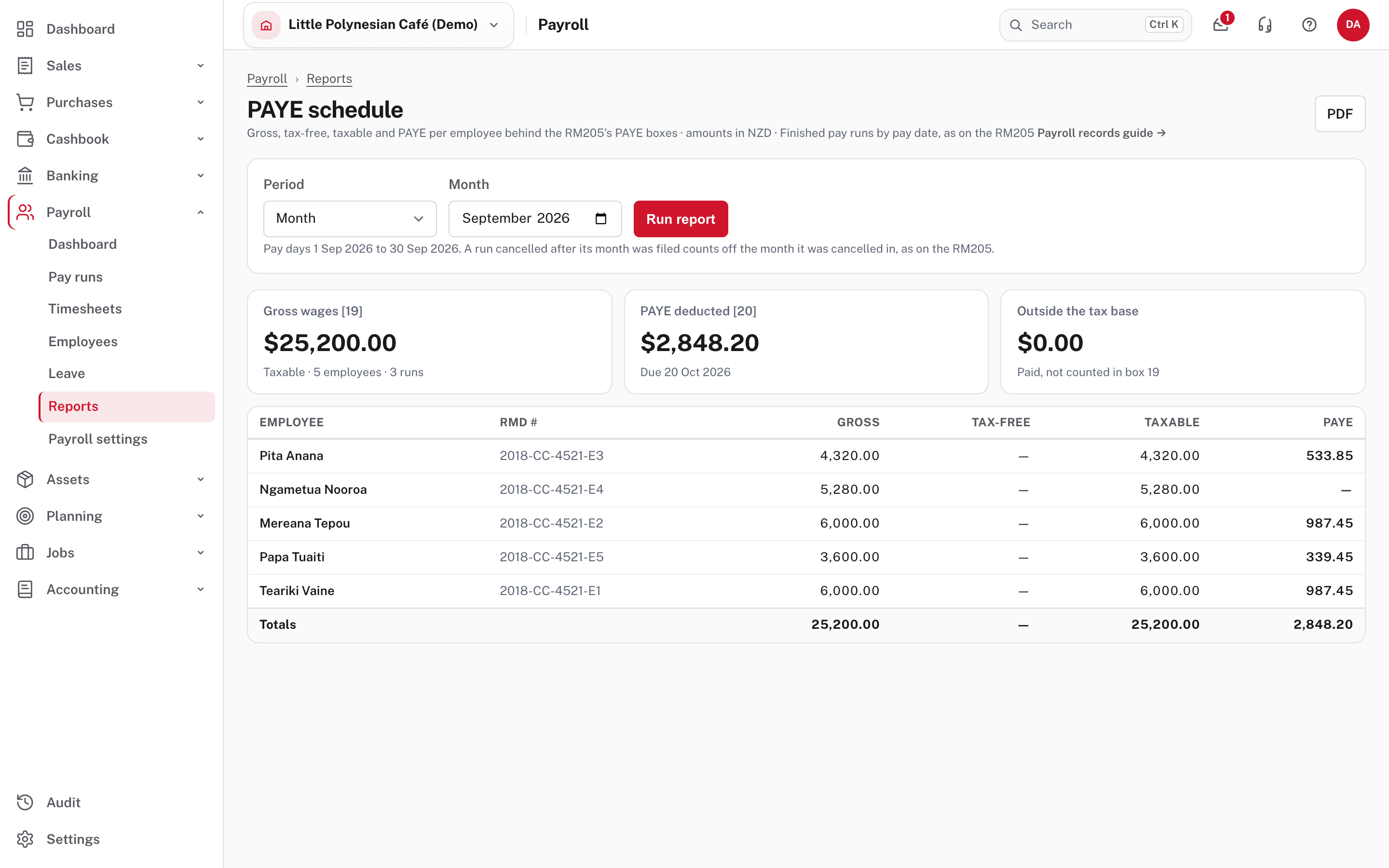
It lists everyone paid in the month (or a quarter, or a year, from Period) with their gross, any part outside the tax base, the taxable gross and the PAYE. The totals are the figures on the RM205 return: gross wages in box 19 and PAYE deducted in box 20. Check them against the return before you file it (VAT & PAYE return · RM205, under Compliance).
Step 3. Check the payroll totals
Payroll → Reports → Check payroll totals (or Check totals on the Pay runs list).
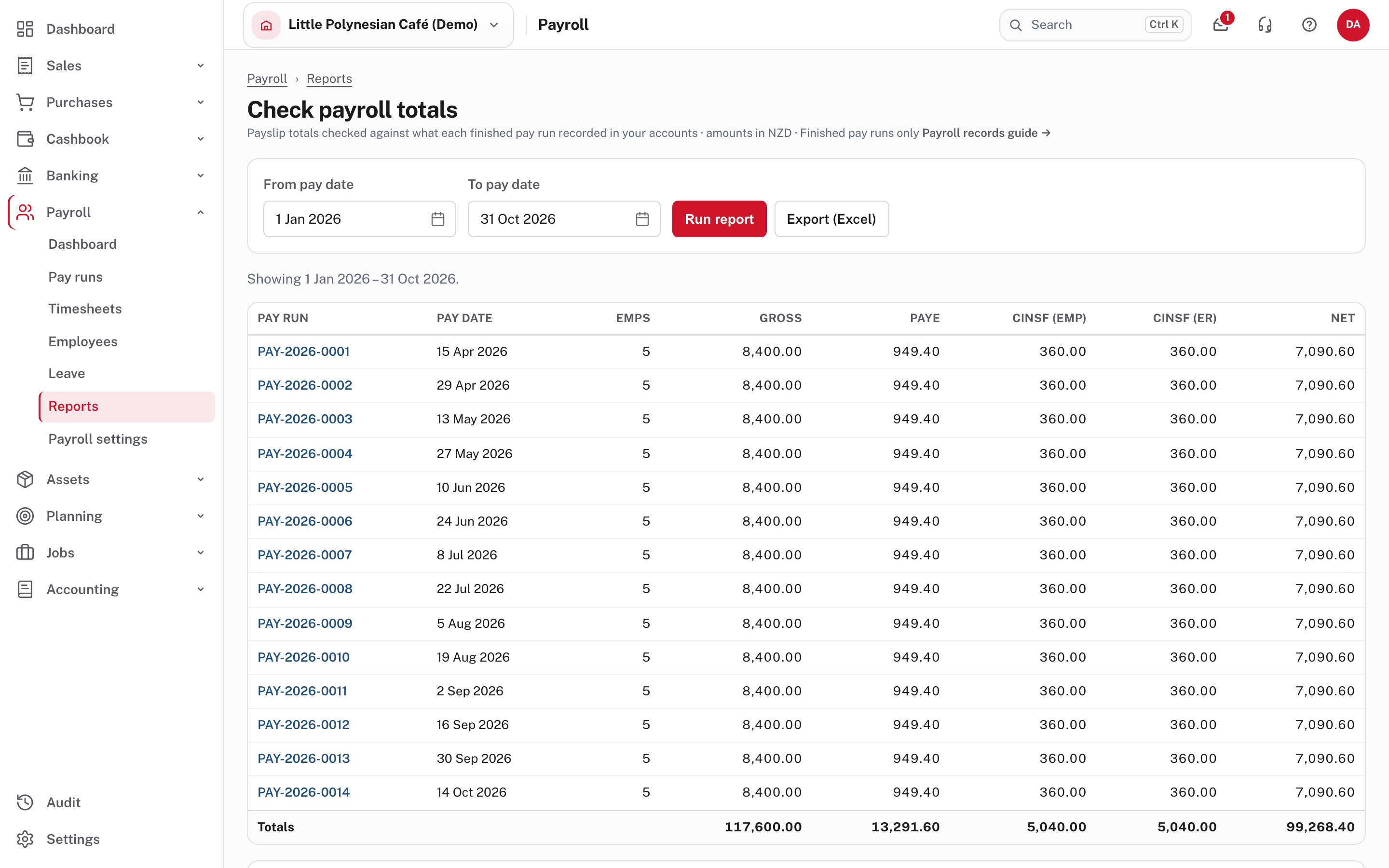
Choose a date range and Run report. It shows Reconciled when both of these are true:
- Net pay equals gross pay minus PAYE, employee CINSF and other deductions.
- The accounting entries of the finished pay runs match the payslip totals.
Otherwise it shows Out of balance and says which one doesn't hold. Lower on the page, the GL tie-out compares the payroll journals in your accounts with the payslips. Run this at least once a month, after the pay runs and before the return.
Step 4. Find a report when you need one
Payroll → Reports groups what is there.
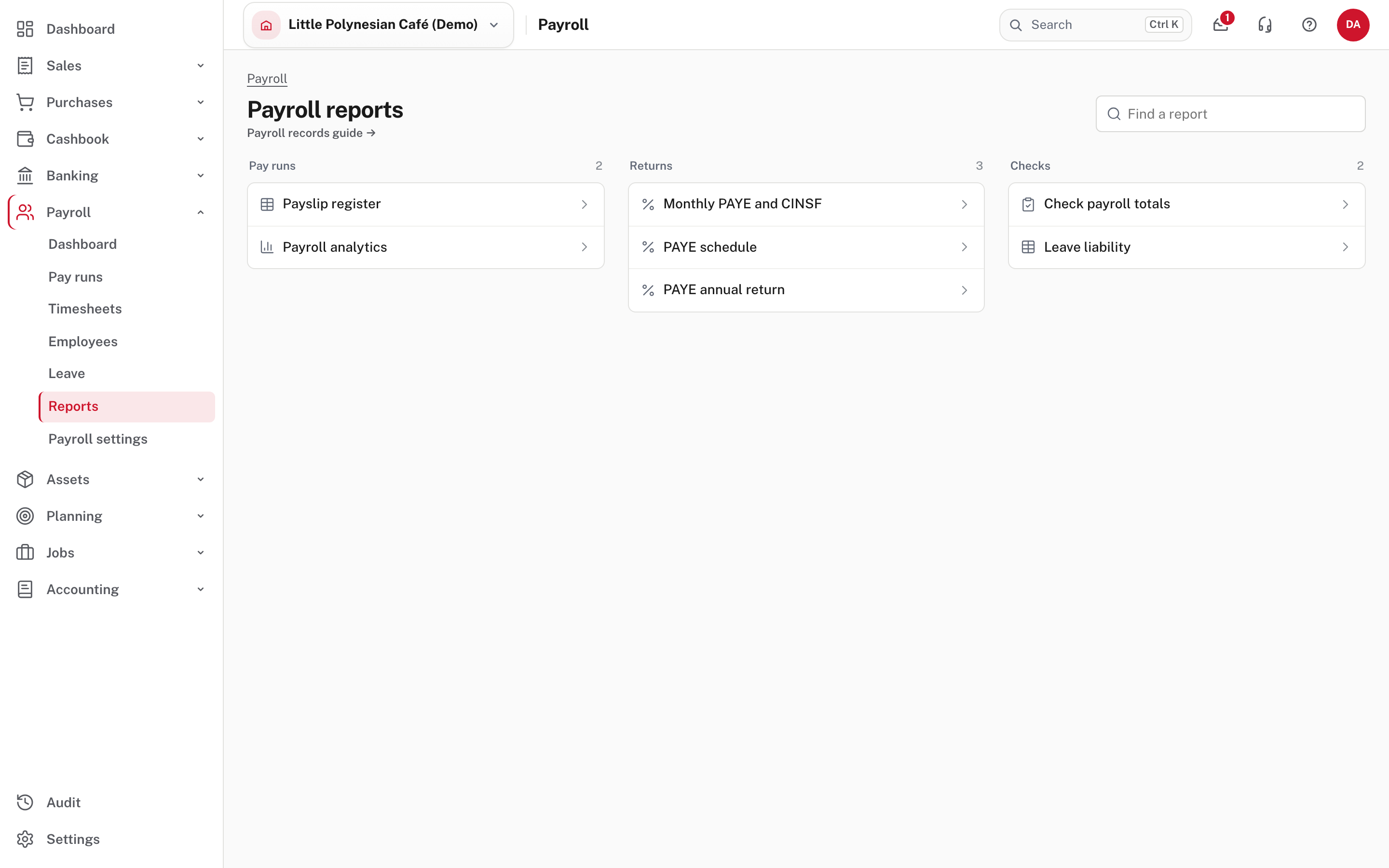
- Pay runs: payslip register and payroll analytics.
- Returns: monthly PAYE and CINSF, the PAYE schedule, and the annual PAYE return.
- Checks: payroll totals and leave liability.
Once you reconcile the bank account, a finished run also shows the day the bank paid it.
Later in the year
- Annual PAYE reconciliation (RM106). The January to December grid is built from your finished pay runs and checked against the per-employee RM101 totals. Any variance is flagged for a written explanation.
- RM101 for a leaver. Once an employee has a termination date, their record shows the delivery deadline, seven days after the last day. Record actual delivery with its date and evidence reference.
More detail: Payroll records and reconciliation.
Check at the end of the month
Month-end payroll checklist
- Every pay run for the month is Done, with its bank file uploaded and payslips out.
- PAYE and CINSF for the month are recorded as paid, with references.
- Check payroll totals says Reconciled for the month.
- The PAYE schedule totals agree with the RM205 boxes before you file.